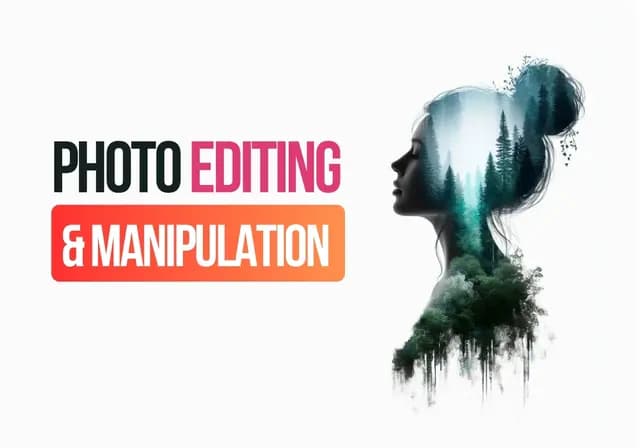
Photo Editing & Advanced Image Manipulation
Master Adobe Photoshop, Professional Photo Retouching, Color Correction, Compositing, Background Removal, Creative Manipulation & High-End Image Editing
About This Course
Photo Editing & Advanced Image Manipulation is a practical, project-based course designed for students who want to develop professional image-editing skills using Adobe Photoshop. The program begins with essential Photoshop workflows and progressively moves into advanced retouching, compositing, color correction, creative manipulation, image restoration and professional production techniques.
The course is designed around a simple principle: professional photo editing is not only about knowing Photoshop tools; it is about understanding how images are constructed, how light and color behave, how visual elements interact and how editing decisions support the intended communication. Students therefore learn both the technical tools and the visual judgment required to produce convincing results.
What You Will Learn
Core competencies & practical knowledge
Skills You Will Gain
Course Modules & Syllabus Timeline
5 Modules • Practical Lab Curriculum
Photoshop Fundamentals & Professional Editing Workflow
Students establish a strong Photoshop foundation and learn the non-destructive workflow required for advanced image editing.
- •Photoshop interface
- •Workspace customization
- •Document creation
- •Canvas dimensions
- •Resolution
Students create an organized layered PSD and perform a complete basic image-editing workflow using non-destructive techniques.
Selections, Masking & Background Removal
Students learn precise subject isolation and masking techniques required for professional editing and compositing.
- •Marquee selections
- •Lasso tools
- •Object Selection
- •Quick Selection
- •Select Subject
Students isolate multiple subjects with different levels of complexity and place them into new backgrounds while refining the edges.
Professional Photo Correction & Color Grading
Students learn how to correct photographic problems and develop controlled visual color styles.
- •Exposure
- •Brightness
- •Contrast
- •Highlights
- •Shadows
Students correct a collection of poorly exposed photographs and develop multiple professional color grades for the same image.
Portrait Retouching & High-End Skin Editing
Students learn realistic portrait-retouching workflows while maintaining natural skin texture and facial detail.
- •Portrait assessment
- •Blemish removal
- •Healing Brush
- •Spot Healing
- •Clone Stamp
Students complete a professional portrait retouch from raw or unedited photography while maintaining realistic skin texture and natural facial characteristics.
Advanced Object Editing & Commercial Product Retouching
Students learn to create clean, polished images for products, e-commerce and commercial advertising.
- •Product image cleanup
- •Background removal
- •Object isolation
- •Dust removal
- •Scratch removal
Students retouch a set of product photographs and prepare them for an e-commerce or advertising campaign.
Tools & Software Taught
Career Outcomes & Job Roles
- Navigate Photoshop confidently for professional image-editing tasks.
- Create organized and editable Photoshop documents.
- Use layers, masks and adjustment layers effectively.
- Apply non-destructive editing techniques.
- Create accurate selections around complex subjects.
Frequently Asked Questions
What are the prerequisites for enrolling in this course?
Basic computer literacy and enthusiasm to learn. No prior advanced background is required.
Are classes conducted in physical workstation labs?
Yes, 100% of practical classes are conducted in our high-spec campus labs in Lahore.
Will I receive an official certificate upon completion?
Yes, graduates receive an official certificate of completion with 85%+ attendance and project defense.
Flexible Monthly Installment Available